
The best affordable computer monitor for most people in 2026 is a 27-inch 1440p IPS or VA panel running at 100 Hz or higher, because it gives noticeably sharper text than 1080p without a large jump in cost. If you only need a second screen for email and documents, a 24-inch 1080p monitor at 100 Hz is still the cheapest sensible choice. Skip anything that does not list its panel type, refresh rate and resolution clearly.
Our top picks
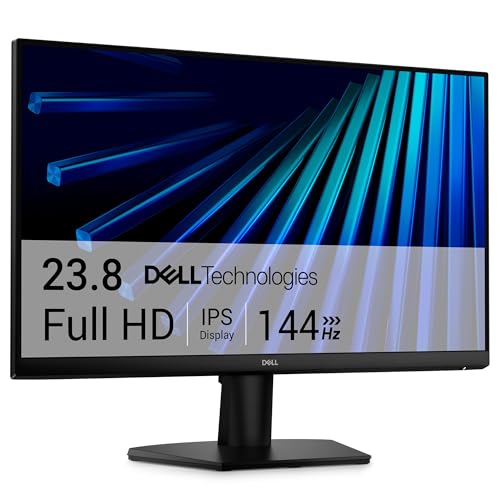 Dell 24 Monitor
- Clear visuals
- Eye comfort: TÜV Rheinland 3‑star* certification reduces harmful…
- Wide viewing angle: Get consistent views across a…
 Dell 24 240Hz Gaming Monitor
- Smooth motion: 240Hz refresh rate and fast 0.5ms…
- Seamless gaming: FreeSync Premium and HDMI VRR eliminate…
- Fast IPS: Faster 0.5ms response with excellent color…
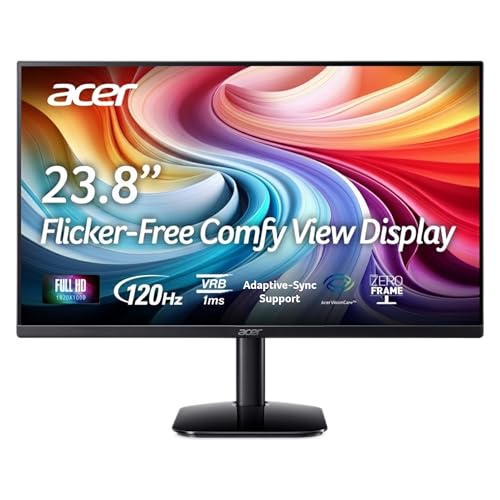 Acer 23.8in FHD 1920x1080 IPS 120Hz Office
- Vibrant Images: Crisp, true-to-life colors come alive in…
- Adaptive-Sync Support: Get fast refresh rates thanks to…
- Up 120Hz Refresh Rate: The 120Hz refresh rate…
As an Amazon Associate we earn from qualifying purchases at no extra cost to you.
Quick comparison of affordable monitor picks
| Pick | Best for | Key specs | Price tier |
|---|---|---|---|
| AOC Q27G3XMN | Best all-round budget 27-inch | 27-inch, 2560 x 1440, high refresh rate, VA panel | Lower mid-range |
| KTC H27T13 | Cheapest 27-inch 1440p IPS | 27-inch, 2560 x 1440, 100 Hz IPS, FreeSync over HDMI and DisplayPort | Entry |
| ViewSonic VS2725-2K | Low-cost 27-inch 1440p, 100 Hz | 27-inch, 2560 x 1440, 100 Hz | Entry |
| Philips 221V8LB | Cheapest second screen | 22-inch, 1920 x 1080, 100 Hz | Lowest |
| Samsung Essential S3 (S36GD) | Simple home-office 1080p | 1920 x 1080, 100 Hz | Entry |
Specs here follow the manufacturers’ published sheets and the monitor roundups of RTINGS and Display Ninja; panel types occasionally differ between sources, so confirm the exact panel on the model you buy.
Best overall: AOC Q27G3XMN
RTINGS names the AOC Q27G3XMN as its best budget monitor. It is a 27-inch 1440p monitor built mainly for gaming but works well for office use thanks to its fast refresh rate and strong contrast from the VA panel. The trade-off is viewing angle: VA panels look less uniform from the side than IPS, which matters if you share the screen.
Best low-cost 1440p IPS: KTC H27T13
Display Ninja calls the KTC H27T13 the most cost-efficient 27-inch 1440p IPS monitor. It supports FreeSync over HDMI and DisplayPort with a variable refresh range of roughly 48 to 100 Hz. IPS gives wider viewing angles and consistent color, which suits shared desks and light photo work. Expect basic build quality, a plain stand and limited ergonomic adjustment.
Best 100 Hz 1440p VA alternative: ViewSonic VS2725-2K
This is one of the few 27-inch 1440p monitors with a 100 Hz refresh rate at an entry price. Reviewers disagree about whether the panel is VA or IPS, so check the listing before purchase. It suits students and home offices that want sharper text than 1080p can offer.
Best cheapest second screen: Philips 221V8LB
The Philips 221V8LB is a 22-inch, 1080p, 100 Hz display that costs very little. A 22-inch screen at 1080p keeps pixel density high enough for comfortable reading, and 100 Hz makes scrolling smoother than the older 60 Hz standard. It lacks height adjustment and sits low on its fixed stand.
Best simple 1080p alternative: Samsung Essential S3
The Samsung Essential S3 line is another 100 Hz 1080p option, with thin bezels that work well in dual-monitor setups. It is better suited to documents and video calls than to color-critical work.
How resolution and size translate to sharpness
| Size and resolution | Pixel density | Best use |
|---|---|---|
| 22-inch 1920 x 1080 | About 100 PPI | Second screen, basic tasks |
| 24-inch 1920 x 1080 | About 92 PPI | Office, general use |
| 27-inch 1920 x 1080 | About 82 PPI | Visible pixels, not recommended for text |
| 27-inch 2560 x 1440 | About 109 PPI | Best balance for desk work and gaming |
| 27-inch 3840 x 2160 | About 163 PPI | Sharpest text, needs scaling and a stronger graphics chip |
The pixel density figures are calculated from the diagonal and resolution, which is why a 27-inch 1080p screen looks soft while a 27-inch 1440p screen looks crisp.
What to check before buying a cheap monitor
- Ports: Confirm HDMI and DisplayPort versions; older HDMI 1.4 limits refresh rate at 1440p.
- Panel type: IPS for viewing angles and color, VA for contrast, TN only for the tightest budgets.
- Stand: Many entry models only tilt. VESA 75 x 75 or 100 x 100 mounting lets you add an arm later.
- Brightness: 250 nits is fine for indoor use; bright rooms benefit from 300 or more.
- Cable: Check the box contents; some monitors ship with HDMI only.
- Dead pixel policy: Look at the retailer’s return window.
Which should you choose?
Choose the AOC Q27G3XMN if you also game or want strong contrast. Choose the KTC H27T13 if you want 1440p IPS at the lowest cost. Choose a 22- or 24-inch 1080p 100 Hz monitor if you only need a basic second display. If you work with text all day, 1440p at 27 inches is the sweet spot of sharpness and affordability.
Frequently Asked Questions
Is 1440p worth it over 1080p for a cheap monitor?
Yes at 27 inches, because 1080p is stretched thin at that size and text looks soft. At 24 inches and below, 1080p is perfectly adequate.
Do I need 100 Hz or higher for office work?
It is not essential, but a 100 Hz refresh rate makes scrolling and cursor movement feel smoother, and many entry monitors now include it at no extra cost.
IPS or VA for an affordable monitor?
IPS offers wider viewing angles and more uniform color. VA offers deeper blacks and better contrast. For shared desks choose IPS; for dark-room movie watching and gaming choose VA.
Can I use a cheap monitor with a laptop?
Yes. Most laptops connect over HDMI or USB-C with DisplayPort output. Check that your laptop’s port supports video output before buying a USB-C cable.
Are cheap monitors color accurate enough for photo editing?
Basic models are fine for casual editing but they rarely cover wide color gamuts. Serious photo or print work calls for a monitor that lists full sRGB coverage and factory calibration.


Write Your Review
No reviews yet. Be the first to share your experience!