
Key takeaways
- Up to 4K at 60Hz. The unit has an HDMI 2.1 port, but output caps at 4K60 — there is no 120Hz mode. A 144Hz panel is wasted on the Apple TV 4K alone; it only pays off if you also plug in a PS5, Xbox Series X or a PC.
- HDR formats: Dolby Vision, HDR10+, HDR10 and HLG. HDR10+ support was added in tvOS 16.1, which is why Samsung owners still get a dynamic-metadata format from the box.
- Audio: Dolby Atmos is delivered as Dolby MAT (PCM plus Atmos metadata), not as a bitstreamed TrueHD track. The TV has to pass that through — which is exactly what eARC is for.
- Match Content: the box switches output between 24Hz film, 50Hz broadcast and 60Hz sport, and between SDR and HDR. Displays that support QMS (Quick Media Switching) change refresh rate without the one-to-two-second black screen.
- HDCP 2.2 is required end to end. An older AV receiver or a cheap HDMI switch in the chain is the single most common cause of a black screen or a “your TV does not support this format” message.
The best TV for an Apple TV 4K is an LG C-series OLED evo (C4 or C5) in 55 or 65 inches. It supports the three formats the Apple TV 4K actually outputs — Dolby Vision, HDR10 and HLG — and gives you four full-bandwidth HDMI 2.1 ports with eARC, so the box’s frame-rate-matched 4K60 Dolby Vision signal arrives intact. The caveat that catches most people: no Samsung TV supports Dolby Vision, so on a Samsung the same Apple TV 4K will fall back to HDR10+ or HDR10.
Our top picks



As an Amazon Associate we earn from qualifying purchases at no extra cost to you.
Quick comparison: best TVs for Apple TV 4K
| Pick | Best for | Key specs | Typical price (55″ / 65″) |
|---|---|---|---|
| LG C-series OLED evo (C4 / C5) | Best overall | 4K OLED, Dolby Vision + HDR10 + HLG, 4× HDMI 2.1 (4K120, VRR, ALLM, eARC), ~9–13 ms game-mode input lag, 42–83″ sizes | $1,000–$1,400 / $1,400–$2,000 |
| TCL QM8-class mini-LED | Best value in a bright room | 4K mini-LED QLED, Dolby Vision + HDR10+, 2 of 4 HDMI ports are 2.1, ~1,500–2,000+ nits peak on small highlights | $700–$1,000 / $900–$1,500 |
| Sony Bravia 9 (mini-LED) | Best for movie-night processing | 4K mini-LED, high dimming-zone count, Dolby Vision, ~2,000+ nits peak, 2 of 4 HDMI ports are 2.1 | — / $2,200–$3,300 |
| Hisense U8-class mini-LED | Bright-room runner-up on price | 4K mini-LED, Dolby Vision + HDR10+, 2 HDMI 2.1 ports, 120Hz panel | $600–$900 / $800–$1,400 |
| Samsung S90 / S95 QD-OLED | Best if you already live in the Samsung ecosystem | 4K QD-OLED, HDR10+ only (no Dolby Vision), 4× HDMI 2.1, ~9 ms input lag | $1,200–$1,600 / $1,600–$2,500 |
| TCL QM6K-class / Hisense U6–U7 QLED | Best budget | 4K QLED, Dolby Vision, 60–120Hz panel, ~400–700 nits peak, 0–2 HDMI 2.1 ports | $350–$550 / $450–$800 |
What an Apple TV 4K actually sends to a TV
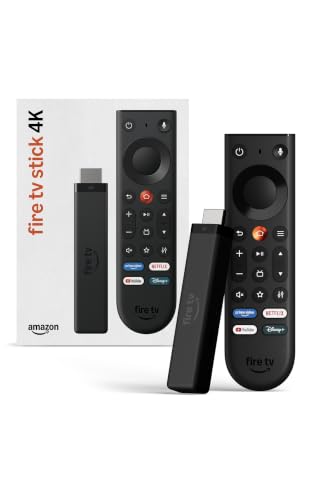
Most buying advice for these boxes is written as if the Apple TV 4K were a game console. It isn’t, and that changes which specs are worth paying for. Per Apple’s published specifications for the third-generation Apple TV 4K (2022, A15 Bionic):
- Up to 4K at 60Hz. The unit has an HDMI 2.1 port, but output caps at 4K60 — there is no 120Hz mode. A 144Hz panel is wasted on the Apple TV 4K alone; it only pays off if you also plug in a PS5, Xbox Series X or a PC.
- HDR formats: Dolby Vision, HDR10+, HDR10 and HLG. HDR10+ support was added in tvOS 16.1, which is why Samsung owners still get a dynamic-metadata format from the box.
- Audio: Dolby Atmos is delivered as Dolby MAT (PCM plus Atmos metadata), not as a bitstreamed TrueHD track. The TV has to pass that through — which is exactly what eARC is for.
- Match Content: the box switches output between 24Hz film, 50Hz broadcast and 60Hz sport, and between SDR and HDR. Displays that support QMS (Quick Media Switching) change refresh rate without the one-to-two-second black screen.
- HDCP 2.2 is required end to end. An older AV receiver or a cheap HDMI switch in the chain is the single most common cause of a black screen or a “your TV does not support this format” message.
Apple builds a diagnostic into tvOS: Settings → Video and Audio → Check HDMI Connection. It tests the cable and port and tells you the highest format the whole chain will carry. Run it before you blame the TV.
Best overall: LG C-series OLED evo (C4 / C5)
The C-series is the default answer because it removes every compatibility question at once. Per LG’s spec sheets, all four HDMI inputs are full-bandwidth HDMI 2.1 with 4K120, VRR and ALLM, and one is eARC — so the Apple TV 4K, a soundbar and two consoles can all live on the back panel without compromise. Dolby Vision, HDR10 and HLG are all supported; HDR10+ is not, which is irrelevant here because the Apple TV 4K prioritises Dolby Vision whenever the display offers it.
Published lab measurements put game-mode input lag in roughly the 9–13 ms range at 4K60, which is low enough that the Apple TV’s own remote navigation feels instant and cloud-gaming apps stay playable. Sizes run from 42 inches (good for a desk or a second room) to 83 inches.
Main trade-off: full-screen brightness. OLED panels typically hold a few hundred nits across the whole screen while pushing much higher on small highlights. In a room with direct sunlight hitting the panel, a mini-LED will look punchier during the day. In a dim room — where most Dolby Vision film-watching happens — the OLED wins on contrast.
Best for bright rooms: mini-LED (TCL QM8-class, Hisense U8-class)
If your TV faces a window, mini-LED is the practical pick. These sets carry hundreds of local dimming zones behind the panel, and per manufacturers’ spec sheets they peak above 1,500 nits on small highlights with several hundred to around 1,000 nits available full-screen — roughly two to three times what an OLED can sustain across the whole picture. Both TCL and Hisense support Dolby Vision and HDR10+, so they will accept whatever the Apple TV 4K negotiates.
Main trade-off: blooming — a bright object on a dark background can show a faint halo — plus colour and contrast washing out when you sit well off-axis. Port count is also thinner: typically two of four HDMI inputs are 2.1, so plan which device gets the fast ports.
Best premium movie TV: Sony Bravia 9
Sony’s flagship mini-LED is the pick when upscaling and motion handling matter more than price. Its processing cleans up the soft 1080p and heavily compressed 4K streams that dominate most libraries, and its dimming-zone count keeps blooming under control better than value mini-LEDs. Dolby Vision is supported; typically two of four HDMI inputs are 2.1.
Main trade-off: cost and weight. A 65-inch mini-LED of this class can weigh 50–70 lb with its stand — around 1.5× a same-size OLED — so check your furniture and wall-mount rating (VESA pattern and load limit) before delivery day.
Best budget pick: TCL QM6K-class or Hisense U6–U7-class QLED
For a bedroom, a spare room or a first 4K set, a mid-tier QLED gets you Dolby Vision, a 60Hz (sometimes 120Hz) panel and full HDCP 2.2 support for a fraction of the price. The Apple TV 4K will work perfectly — you simply get less HDR impact. Peak brightness in this class is roughly 400–700 nits, so specular highlights in Dolby Vision content look flat next to an OLED or a good mini-LED, and input lag typically runs 15–30 ms.
Main trade-off: fewer dimming zones means more visible grey haze in dark scenes, and the Apple TV 4K’s own interface may look slightly soft on sets with weaker upscaling. If the budget stretches, the step up to a mini-LED is the single biggest picture improvement per dollar.
If you already own a Samsung: S90 / S95 QD-OLED
Samsung’s QD-OLED models are excellent televisions and, for gaming, arguably the best of this group — four HDMI 2.1 ports, ~9 ms input lag, and vivid quantum-dot colour. The catch is format support: Samsung does not license Dolby Vision. Per Samsung’s spec sheets, these sets support HDR10+ and HDR10 but not Dolby Vision, so an Apple TV 4K connected to one will output HDR10+ where the title offers it and HDR10 otherwise. You still get 4K HDR and Atmos; you just don’t get the Dolby Vision master. Buy it only if that trade is acceptable to you.
How to choose: the numbers that matter
HDR format support by brand
| Brand / platform | Dolby Vision | HDR10+ | HDR10 & HLG | Result with Apple TV 4K |
|---|---|---|---|---|
| LG | Yes | No | Yes | Dolby Vision |
| Sony | Yes | Select 2024-and-later models | Yes | Dolby Vision |
| TCL | Yes | Yes | Yes | Dolby Vision |
| Hisense | Yes | Yes | Yes | Dolby Vision |
| Samsung | No | Yes | Yes | HDR10+ or HDR10 |
| Panasonic | Select models | Select models | Yes | Dolby Vision where supported |
Per manufacturers’ published spec sheets. Dolby Vision is the format most 4K film purchases and streaming titles are mastered in, which is why it sits first in the table.
HDMI: you need less than you think, but eARC matters
HDMI 2.0’s 18 Gbps is enough for 4K60 with Dolby Vision, so no TV is disqualified for lacking HDMI 2.1. What you do want is eARC on at least one input — that is how the Apple TV 4K’s Dolby MAT Atmos reaches a soundbar, and how you can set a HomePod pair as the TV’s default output for other sources. Many TVs implement eARC on an HDMI 2.0 port, so don’t assume a 2.1 label is required. As a rule of thumb: budget for at least two 4K120-capable ports if you own a current console; one is enough if the Apple TV 4K is your only source.
Refresh rate and input lag
- 24Hz / 50Hz / 60Hz handling is what the Apple TV 4K exercises daily. Look for clean frame-rate switching (QMS support) rather than a big Hz number.
- 120Hz and 144Hz panels only help the Apple TV 4K indirectly — smoother menu scrolling in some apps, and better motion for consoles.
- Input lag: ~9–13 ms (OLED, game mode), ~10–15 ms (good mini-LED), 15–30 ms (budget sets), per typical published measurements. Under about 20 ms is fine for cloud gaming and navigation.
Brightness targets
For a dim or controlled room, a few hundred nits full-screen is plenty. For a sunlit living room, look for a set that can hold 600–1,000 nits full-screen — that is mini-LED territory. Peak nits on a small highlight (1,500–2,000+) tell you how sparkly HDR looks; full-screen nits tell you how watchable the picture is at 2 p.m. with the blinds open.
Viewing distance: a worked example
A 16:9 screen’s height is about 0.49 × its diagonal. For mixed use, a distance of roughly 1.5 × the diagonal is the comfortable middle; about 1.2 × the diagonal is cinematic immersion; beyond 2 × you start losing the benefit of 4K detail.
| Screen size | Screen height | Immersive (≈1.2× diagonal) | Mixed use (≈1.5× diagonal) | Far field (2× diagonal) |
|---|---|---|---|---|
| 48″ | 23.5″ | 4.8 ft | 6.0 ft | 8.0 ft |
| 55″ | 27.0″ | 5.5 ft | 6.9 ft | 9.2 ft |
| 65″ | 31.9″ | 6.5 ft | 8.1 ft | 10.8 ft |
| 77″ | 37.8″ | 7.7 ft | 9.6 ft | 12.8 ft |
Say your sofa sits 9 ft (108 inches) from the wall. Dividing by 1.5 gives 72 inches of diagonal for mixed use, so a 65-inch set is the safe buy and a 77-inch is the immersive one — provided the wall and your budget allow it. Note that full 4K acuity on a 65-inch set arrives at about 1.5 × screen height, or roughly 4 ft; at 9 ft you are watching for immersion and HDR impact, not pixel count.
Ownership realities: what actually wears out
- OLED: burn-in risk from static elements — news tickers, channel logos, game HUDs — is real but manageable with the panel-care routines and pixel-shift features the manufacturers build in. Panel uniformity (faint vertical banding, slight tint) varies unit to unit and shows up most in near-black scenes.
- Mini-LED: no burn-in, but the LED backlight and its power supply are the parts most likely to fail first, and blooming tends to become more noticeable as a set ages and zones drift.
- What dies first on most TVs: HDMI ports and boards, then the power supply — not the panel. A surge protector and a strain-relieved cable run are cheap insurance.
- Firmware: expect meaningful feature updates for roughly three to five years. The Apple TV 4K is the workaround — it keeps receiving tvOS updates long after the TV stops.
- Cleaning: dry microfibre only on anti-glare coatings. Alcohol and ammonia-based cleaners permanently haze them.
Frequently Asked Questions
Does an Apple TV 4K work with any 4K TV?
Yes. Any TV with an HDCP 2.2-compliant HDMI input will display 4K from an Apple TV 4K. What varies is the HDR format the two devices agree on: Dolby Vision on LG, Sony, TCL, Hisense and most Panasonic sets; HDR10+ or HDR10 on Samsung, which does not license Dolby Vision.
Do I need HDMI 2.1 for an Apple TV 4K?
No. The Apple TV 4K outputs at most 4K60, which fits comfortably inside HDMI 2.0’s 18 Gbps bandwidth. HDMI 2.1 on the TV is still useful for eARC, QMS frame-rate switching and for any console or PC you connect alongside the box.
Why does my Apple TV 4K show HDR10 instead of Dolby Vision on my Samsung TV?
Because Samsung TVs do not support Dolby Vision at all — the format is not licensed on any of its 4K sets. The Apple TV 4K detects that, and sends HDR10+ when the title and the TV both support it, falling back to HDR10 otherwise. The picture is still HDR, just not the Dolby Vision master.
Is a 120Hz TV worth paying extra for if I mostly use an Apple TV 4K?
Not for the Apple TV 4K itself, which caps at 60Hz output. It is worth it if you also own a PS5, Xbox Series X or a gaming PC, because those devices do use 4K120 and VRR. If the box is your only source, put the money into brightness or size instead.
How bright should a TV be for Dolby Vision in a bright room?
Look for a set that can hold roughly 600–1,000 nits across the full screen, which usually means mini-LED. OLEDs typically sustain a few hundred nits full-screen and rely on much brighter small highlights, so they look best in a controlled-light room. Peak nits alone are a poor guide — full-screen brightness is what survives a sunny afternoon.




Write Your Review
No reviews yet. Be the first to share your experience!