
Key takeaways
- Finding the best budget PC microphone doesn’t mean you have to settle for muddy, distorted audio. At 999coupons , I have analyzed the latest
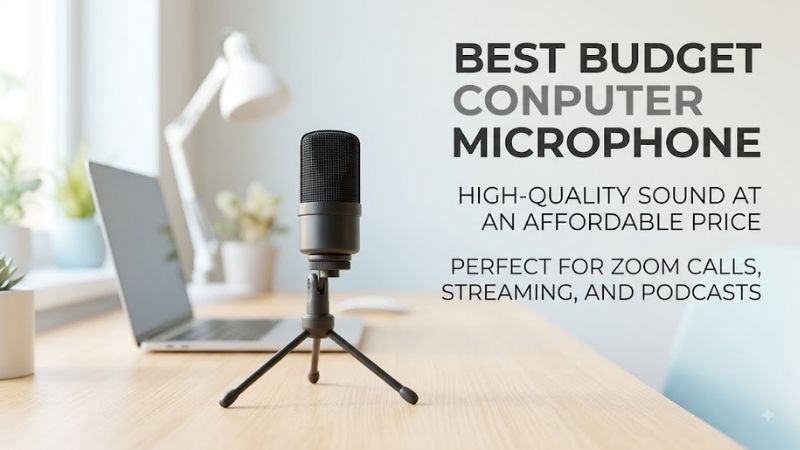
Finding the best budget PC microphone doesn’t mean you have to settle for muddy, distorted audio. At 999coupons, I have analyzed the latest 2026 market data and user feedback to help you find an affordable, plug-and-play USB setup that delivers crystal-clear voice quality for gaming, streaming, or work calls without breaking your budget.
Our top picks




As an Amazon Associate we earn from qualifying purchases at no extra cost to you.
🛒 Best Price Today on Amazon
Prime members get fast, free shipping on everything above, plus member-only deals. New members get a 30-day free trial — cancel anytime.
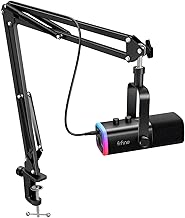
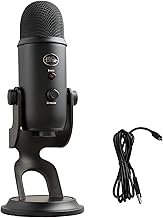
Amazon Basics USB Condenser Microphone — Best for Pure Value
When you are shopping for the best budget PC microphone, you might not expect a retail giant’s in-house brand to lead the pack. However, editorial reviews from July 2025 highlighted this model as an exceptional budget-friendly choice for entry-level users. I would recommend this option to anyone who wants to instantly upgrade from a scratchy headset mic without spending a fortune.
| Microphone Model | Polar Pattern | Connection Type | Stand Included | Best For |
|---|---|---|---|---|
| Amazon Basics USB Condenser | Unidirectional | USB-C to USB-A | Yes (Adjustable Desktop) | Pure Value & Beginners |
| HyperX SoloCast | Cardioid | USB-C | Yes (Flexible Tilt) | Dedicated Gaming Setups |
| Logitech Yeti Orb | Cardioid | USB-C | Yes (Spherical Base) | Aesthetics & Software Control |
Key Design and Audio Specs
According to the manufacturer’s listed specifications, this microphone features a unidirectional pickup pattern. This means it is designed to capture sound primarily from the front, helping to block out background noises like hums or distant traffic. It connects via a standard USB cable, making it compatible with almost any modern desktop or laptop computer.
The build quality is surprisingly robust for the price. Verified buyer reviews frequently mention that the included desktop stand is heavy enough to keep the microphone stable during intense typing sessions. While it lacks advanced physical controls, the internal capsule is tuned to deliver clear, natural-sounding mid-tones, which are crucial for speech clarity.
Why It Stands Out for Beginners
Based on my analysis of user feedback, the true appeal of this microphone is its absolute simplicity. There are no complicated drivers to install or complex software suites to configure before you can start recording. You simply plug the USB cable into your computer, select the device in your settings, and you are ready to go.
If you are a student attending online classes or a professional working from home, I believe this is the most practical choice. It eliminates the technical hurdles that often frustrate newcomers to external audio gear. It offers a massive jump in audio quality over built-in laptop microphones at a fraction of the cost of premium studio equipment.
HyperX SoloCast — Best for Dedicated Gaming Setups
If your primary goal is finding the best budget PC microphone for gaming or live streaming, the HyperX SoloCast is a legendary contender. Widely promoted in editorial roundups throughout 2026, this compact USB microphone typically sits around the under-$50 price point. It is highly regarded by creators who need a small, reliable audio solution that fits neatly under a monitor.
Streamlined Build and Functionality
The SoloCast is built with a very specific user in mind: the minimalist desktop gamer. It features an incredibly small footprint and an adjustable stand that tilts, allowing you to position the microphone at the perfect angle without blocking your view of the screen. It also utilizes a standard thread size, meaning you can easily attach it to a boom arm later if you choose to upgrade your setup.
One of its standout physical features is the tap-to-mute sensor located on the very top of the microphone. Instead of a clicky physical button that transmits loud popping noises to your listeners, a simple tap mutes your audio instantly. A bright red LED indicator on the front lets you know at a glance whether your microphone is live or muted.
Performance Considerations for Gamers
From a technical standpoint, the SoloCast uses a cardioid polar pattern that is highly sensitive to sound sources directly in front of the capsule. This makes it excellent for capturing the natural depth of your voice while ignoring ambient room reflections. However, because it is a sensitive condenser microphone, it can pick up mechanical keyboard clicks if placed too close to your hands.
To get the best possible performance out of this unit, I advise placing it slightly to the side of your keyboard or mounting it on a basic boom arm. Long-term owners report that adding a simple foam windscreen or using software-based noise suppression can elevate the audio quality to near-studio levels. It is an incredibly reliable workhorse for Discord chats and Twitch streams.
Logitech Yeti Orb — Best for Aesthetic and Software Integration
For those who care deeply about the visual appeal of their desk setup, the Logitech Yeti Orb is a strong competitor for the best budget PC microphone title. Highlighted in major tech roundups in 2026, this microphone brings a modern, spherical aesthetic to the budget category. It is an excellent choice if you want your microphone to look great on camera during video calls or streams.
Modern Design Language
The Yeti Orb departs from the traditional capsule shape in favor of a sleek, fabric-covered ball design. It looks incredibly clean and premium, fitting right in with modern minimalist office decor. The desktop stand is compact, yet it provides a stable foundation that keeps the microphone at a reasonable height for voice capture.
On the back of the microphone, you will find a clean USB-C port for power and data. The lack of physical dials or buttons on the chassis keeps the exterior looking completely uncluttered. While some users prefer physical controls, this design choice ensures there are no moving parts to wear out or break over time.
Digital Features and Customization
What truly sets the Yeti Orb apart from other budget options is its integration with the Logitech G HUB software. Through this platform, you gain access to Blue VO!CE presets, which allow you to apply real-time filters, limiters, and equalizers to your voice. This software integration gives you the power to fine-tune your sound without needing to buy expensive hardware mixers.
If you have a naturally deep voice or find yourself recording in a room with a lot of echo, the software tools can help you clean up the signal beautifully. Based on the manufacturer’s specifications and user reports, this level of digital customization is rarely found in the sub-$50 price bracket. It makes the Yeti Orb a highly versatile tool for creative projects.
How to Choose the Right Budget PC Microphone for Your Needs
When searching for the best budget PC microphone, you must evaluate your specific environment and daily habits. If you work in a noisy room with roommates, family members, or loud air conditioning, prioritizing a microphone with a tight cardioid or unidirectional pattern is essential. These patterns naturally reject off-axis noise, keeping the focus entirely on your voice.
For example, if you are a gamer who uses a loud mechanical keyboard, I would suggest choosing a microphone like the HyperX SoloCast and pairing it with a boom arm. Mounting the microphone closer to your mouth allows you to lower the input gain, which dramatically reduces the amount of keyboard clatter captured in the background. On the other hand, if you want a simple setup for casual Zoom meetings, the plug-and-play simplicity of the Amazon Basics model is hard to beat.
You should also consider whether you prefer physical controls or software customization. If you like to adjust your settings on the fly without minimizing your active game or application, look for models with dedicated mute buttons. If you enjoy tweaking EQ profiles to achieve a radio-host broadcast tone, a software-enabled option like the Logitech Yeti Orb will serve you much better in the long run.
Check the latest price on Amazon:
- Best Budget Podcast Microphone Guide for Audio Creators
- Best Budget Microphone For Vocals: 2026 Top Studio Picks
- Best Budget Vocal Microphone Guide for Home Studio Vocalists
- Best Budget Wireless Microphone For Singing: 2026 Top Picks
- Best Cheap Earbuds Reddit: Top 5 Amazon Picks & Buyer Guide
Conclusion
Upgrading your computer’s audio setup does not require a massive financial investment in 2026. Whether you choose the pure value of the Amazon Basics USB Condenser, the gamer-focused utility of the HyperX SoloCast, or the sleek, software-rich Logitech Yeti Orb, you will experience a dramatic improvement in clarity. I recommend assessing your desk space and software preferences before making your final decision. For more tech buying guides and budget-friendly recommendations, feel free to explore our latest updates here at 999coupons.


Write Your Review
No reviews yet. Be the first to share your experience!