
Key takeaways
- Find the best web pages laptops on sale with strong memory, sharp screens and long battery life. Compare four Windows laptops for work, study and travel.
Most laptop buying now happens on a screen rather than in a shop, and the web pages you compare are where the real decision gets made. A listing can make any machine sound capable, yet the figures that matter are buried in the specification table: the processor, the memory, the storage, the screen and the ports. Reading those pages carefully, and comparing the same model across a few of them, is how you end up with a laptop that suits your working day instead of one that merely sounded good.

This guide is for office workers, students and professionals who need a dependable Windows laptop for a full working day, and who are comparing models across web pages before buying. Every laptop below was chosen from the name and the specification details on its Amazon page, so the features described here are the ones the listing itself states. They cover a memory-rich 14-inch machine, a compact premium carry, a business laptop built for docking, and a big-screen workstation.
Quick Picks
As an Amazon Associate we earn from qualifying purchases
| Product | Best for | Key spec from title |
|---|---|---|
| Lenovo ThinkPad T14 Gen 5 | Memory for huge models | 32GB RAM, 1TB SSD, touch |
| Dell XPS 13 | A compact premium Windows laptop | 13.4-inch 2.8K touch, Snapdragon |
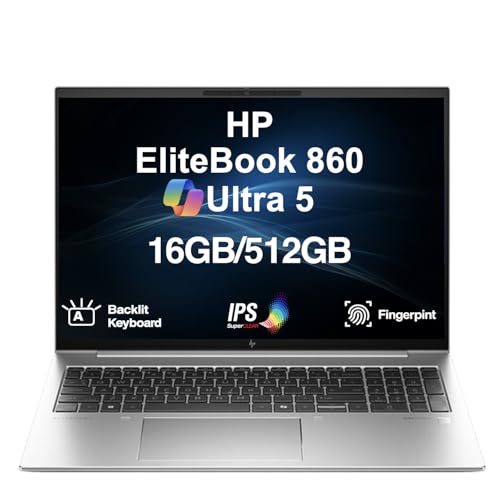
| HP EliteBook 840 G11 | Business work with security and docking | Core Ultra 7, 16GB, 512GB SSD |
| Lenovo ThinkPad P16s Gen 2 | Big-screen CAD work | 16-inch WUXGA, RTX A500 |
How to Choose
Reading the Listing Properly
A web page listing rewards a slow read, because the headline rarely tells the whole story. Start with the specification table and confirm the processor model, the memory size, the storage capacity and the screen resolution, then check that those figures match the model name in the title. Look for the operating system, the port list and the wireless standard, since those details decide whether the laptop fits your desk and your network. A listing that hides or muddles a specification is a reason to compare another page for the same model before deciding anything.
Processor, Memory and Storage
Processor, memory and storage decide whether the laptop keeps up with a working day or slows down by lunchtime. A modern Core Ultra or Ryzen PRO processor handles spreadsheets, video calls and browser tabs together, while 16GB of memory is the practical minimum for multitasking and 32GB suits huge models and large datasets. Storage matters too, because a 512GB solid-state drive holds the operating system and the working files, while 1TB gives room for a large library. Check the processor, memory and storage on the listing, because a laptop that is short on memory will feel slow no matter how fast the processor is.
Screen Size and Keyboard
Screen size decides how much work fits on the desk, and the keyboard decides how comfortable the typing feels. A 13.4-inch screen suits a commute and a small bag, while a 14-inch screen is the classic office size and a 16-inch screen gives room for toolbars and a generous viewport. A touchscreen helps with signing forms and scrolling documents, while a spill-resistant keyboard and a MIL-STD-tested build survive daily travel. Sit with the laptop before ordering when possible, and check the screen resolution and the keyboard layout on the listing before you commit.
Timing the Purchase Across Web Pages
A laptop purchase rewards a little patience, and comparing pages is the practical way to use it. Open the same model on a few web pages, line up the configurations side by side, and confirm the processor, memory, storage and screen match across them. A sale period is a useful moment to look, yet the configuration matters more than the calendar, because the wrong model at any moment is still the wrong model. Keep the listings open while you compare, and read the specification table on the page you buy from before ordering.
The 4 Best Options
Lenovo ThinkPad T14 Gen 5
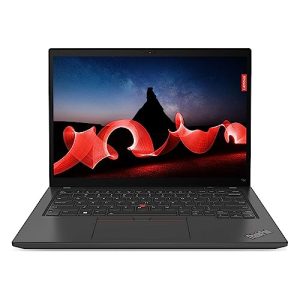
The Lenovo ThinkPad T14 Gen 5 is the memory pick, pairing an AMD Ryzen 7 PRO 8840U processor with 32GB of memory and a 1TB solid-state drive in a 14-inch body. Its WUXGA touch display suits signing forms and scrolling documents, and Windows 11 keeps the software current. The 32GB of memory handles huge models and large datasets without slowing down, while the 1TB drive holds a large library of files. It is the right laptop when the work involves big spreadsheets, large models and many tabs open at once.
Specs
- Processor: AMD Ryzen 7 PRO 8840U
- Memory: 32GB
- Storage: 1TB SSD
- Display: 14-inch WUXGA touch
- Operating system: Windows 11
Best for: Work with huge models, large datasets and many tabs open at once.
Watch out for: The 14-inch screen is smaller than a workstation display, so a second monitor helps for big layouts.
ASIN: B0DGKBYSL2
Dell XPS 13
The Dell XPS 13 pairs a compact 13.4-inch body with a sharp 2.8K touchscreen, making it a strong pick for remote workers who want a premium Windows machine in the smallest possible package. Its Snapdragon X Elite chip delivers long battery life and runs cool, while the touchscreen adds a handy way to scroll documents and sign forms. The near-borderless display makes the most of the small footprint, and the backlit keyboard and fingerprint reader cover the daily basics. With 16GB of memory, a 512GB SSD and Wi-Fi 7, it is built for modern remote work, from video calls to cloud-heavy workflows.
Specs
- 13.4-inch 2.8K touchscreen display, Snapdragon X Elite processor
- 16GB LPDDR5X memory, 512GB PCIe SSD storage
- Qualcomm Adreno graphics, backlit keyboard, fingerprint reader
- Wi-Fi 7, Windows 11 Pro, Thunderbolt ports
- Compact aluminum body, long battery life
Best for: A compact premium Windows laptop with a sharp touchscreen.
Watch out for: Some older Windows apps may need time to adapt to the Snapdragon chip.
ASIN: B0DJPYW835
HP EliteBook 840 G11
The HP EliteBook 840 G11 is a business laptop through and through, with an Intel Core Ultra 7 155U processor, 16GB of memory, and a 512GB solid-state drive in a 14-inch body. Its fingerprint reader and two Thunderbolt 4 ports make it easy to secure and to dock at a desk between rounds, and Wi-Fi 6E keeps it connected in crowded buildings. The 14-inch WUXGA display is a practical size for reading records, and the machine is built for the kind of daily handling that comes with office work. It is a steady, professional choice for a worker who wants reliability over flash.
Specs
- Processor: Intel Core Ultra 7 155U
- Memory: 16GB
- Storage: 512GB SSD
- Display: 14-inch WUXGA
- Security: Fingerprint reader
- Ports: 2x Thunderbolt 4
- Wireless: Wi-Fi 6E
- Operating system: Windows 11
Best for: Office and clinic work where security and docking matter most.
Watch out for: The 512GB drive is the smallest here, so workers with large local files should plan storage carefully.
ASIN: B0DK5SL7JM
Lenovo ThinkPad P16s Gen 2
The ThinkPad P16s Gen 2 is the straightforward choice for CAD work, pairing a 16-inch WUXGA display with a 12-core Intel Core i7-1360P processor and NVIDIA RTX A500 graphics. The large screen gives room for toolbars and a generous viewport, while the workstation graphics are certified for CAD software, so complex assemblies rotate smoothly without display glitches. With 16GB of memory and a 512GB SSD, it handles SolidWorks and AutoCAD comfortably, and at 3.76 pounds it is still light enough to carry between classes. The spill-resistant keyboard and MIL-STD-tested build are built for daily travel between lectures and labs.
Specs
- 16-inch WUXGA display, 1920 by 1200
- Intel Core i7-1360P, 12 cores
- NVIDIA RTX A500 4GB discrete graphics
- 16GB RAM, 512GB SSD
- 3.76 pounds, full-size keyboard with numeric keypad
Best for: Big-screen CAD work with certified workstation graphics.
Watch out for: The 16-inch body is heavier than a 14-inch laptop, so it suits a desk more than a long commute.
ASIN: B0CFBJ35BR
Which One Fits Your Situation
You Work With Huge Models and Many Tabs
Pick the Lenovo ThinkPad T14 Gen 5, because its 32GB of memory and 1TB drive handle huge models, large datasets and many tabs without slowing down. The 14-inch touch display suits signing forms and scrolling documents, and the Ryzen PRO processor keeps the work moving. It is the right laptop when memory is the bottleneck and the work never really stops.
You Commute and Want the Smallest Premium Laptop
Pick the Dell XPS 13, because its 13.4-inch body and 2.8K touchscreen fit a small bag, and its Snapdragon chip delivers long battery life while running cool. The fingerprint reader and backlit keyboard cover the daily basics, and Wi-Fi 7 keeps it connected. It is the right laptop when the commute is long and the bag is small.
You Need Security and a Desk Dock
Pick the HP EliteBook 840 G11, because its fingerprint reader secures the machine and its two Thunderbolt 4 ports dock it at a desk in seconds. Wi-Fi 6E keeps it connected in crowded buildings, and the 14-inch display is a practical size for reading records. It is the right laptop when the office expects reliability and the desk setup matters.
You Do CAD Work on a Big Screen
Pick the Lenovo ThinkPad P16s Gen 2, because its 16-inch display gives toolbars and a viewport room to breathe, and its RTX A500 graphics are certified for CAD software. The 12-core processor and 16GB of memory handle assemblies comfortably, and the spill-resistant keyboard survives daily travel. It is the right laptop when the work is visual and the screen must be large.
Common Mistakes
- Buying a laptop with too little memory, then watching it slow down by lunchtime.
- Choosing a 13-inch screen for CAD work, then squinting at toolbars all day.
- Ignoring the port count, then buying a separate dock the budget did not include.
- Picking a laptop for its processor alone, then discovering the battery dies by mid-afternoon.
- Forgetting to check whether older apps run on a new chip, then finding a key tool does not work.
Frequently Asked Questions
How do I compare the same laptop across different web pages?
Open the same model on a few web pages and line up the configurations, checking the processor, memory, storage and screen on each one. Confirm the figures match the model name, and read the specification table on the page you buy from. A listing that hides a specification is a reason to check another.
How much memory does a work laptop need?
Sixteen gigabytes is the practical minimum for multitasking with spreadsheets, video calls and browser tabs open at once, while 32GB suits huge models, large datasets and heavy multitasking. A laptop that is short on memory feels slow no matter how fast the processor is, so treat memory as the first filter. Check the memory figure on the listing before ordering.
Is a touchscreen useful on a work laptop?
It helps with signing forms, scrolling documents and tapping controls, and it suits a worker who moves between a laptop and a tablet. It is not essential for typing-heavy work, and it adds weight and cost. A touch display is worth it when the work involves forms and signatures, and less so when the day is mostly typing.
Can a Snapdragon laptop run my work apps?
Most modern Windows apps run well on Snapdragon, and the chip delivers long battery life while running cool. Some older apps may need time to adapt, so check the key tools before ordering, especially specialist software. A buyer with a critical older app should confirm compatibility on the listing or with the software maker.

Write Your Review
No reviews yet. Be the first to share your experience!